What is Bluehost? Bluehost is one of the most popular web hosting companies in the world, offering various hosting services to help individuals and businesses establish an online presence. From beginners building their first blog to established companies running complex websites, Bluehost provides scalable and easy-to-use solutions to suit all needs. History and Background Founded in 2003, It has expanded to host more than 2 million websites globally. Acquired by Endurance International Group (EIG) in 2010, It is a trusted name in web hosting, particularly well-known for its strong integration with WordPress, one of the leading content management systems (CMS). Hosting Plans It offers a range of hosting plans that cater to different needs and budgets. Let’s break them down: Shared Hosting Shared hosting is the most budget-friendly option, ideal for individuals and small websites. Multiple websites share the same server resources, which makes it affordable but less powerful. VPS Hosting A Virtual Private Server (VPS) offers an upgrade from shared hosting. It provides more control, better performance, and isolated server resources. This option is better suited for growing websites with more traffic. Dedicated Hosting For large websites and high-traffic businesses, dedicated hosting offers a server dedicated entirely to your website. It provides the most power and control but comes with a higher price tag. WordPress Hosting Specially designed for WordPress users, this hosting plan optimizes performance and offers features specifically catered to WordPress sites, such as one-click installs and automatic updates. Features It offers a host of features that make it appealing to a wide range of users. Free Domain for the First Year When you sign up for any Bluehost hosting plan, you get a free domain for the first year, which is a great perk for new website owners. Free SSL Certificate Every Bluehost hosting plan includes a free SSL certificate, which ensures your website is secure and helps build trust with your visitors. One-Click WordPress Install Bluehost’s seamless integration with WordPress allows you to install it with just one click, making the setup process easy for beginners. 24/7 Customer Support It offers 24/7 customer support through phone, email, and live chat, so you’re never alone if you run into technical issues. Pricing Overview It offers four main pricing plans, each designed for different needs. Basic Plan The Basic Plan is the most affordable and offers hosting for one website, 50 GB of storage, and unmetered bandwidth. Plus Plan The Plus Plan allows you to host unlimited websites and provides unlimited storage and bandwidth. It’s ideal for users who need more flexibility. Choice Plus Plan The Choice Plus Plan includes additional features like domain privacy and automatic backups, making it a great option for users looking for more security. Pro Plan The Pro Plan is the most expensive option, offering a high-performance server for those needing faster speeds and more advanced features. How to Set Up a Website Using Bluehost Step 1: Choose Your Hosting Plan Visit Bluehost’s website and select the hosting plan that best fits your needs. Whether it’s shared, VPS, or WordPress hosting, there’s a plan for every type of user. Step 2: Register a Domain If you don’t have a domain, It will let you register one for free during the first year of your hosting plan. Choose a domain name that aligns with your brand or personal website. Step 3: Install WordPress Once your domain is registered, It makes it easy to install WordPress with just a single click. This will set up the framework for your website. Step 4: Customize Your Website After WordPress is installed, you can begin customizing your website by choosing a theme, adding pages, and uploading content. Advantages Reliability With a 99.99% uptime guarantee, It is a reliable hosting provider that ensures your website stays online. Scalability Bluehost’s hosting plans are flexible and can grow with your website. You can start with a simple shared hosting plan and upgrade as your site expands. Beginner-Friendly Interface This dashboard is user-friendly and intuitive, perfect for beginners with little technical knowledge. Disadvantages of Using Bluehost Limited Features in Basic Plan While the Basic Plan is affordable, it lacks some of the features available in higher-tier plans, such as automatic backups and additional security features. Upsells during Checkout It tends to push additional products during the checkout process, which can increase the final cost if you’re not careful. Bluehost vs Competitors Bluehost vs HostGator Both Bluehost and HostGator offer similar pricing, but tends to perform better in terms of customer support and WordPress integration. Bluehost vs SiteGround SiteGround offers better customer support and faster speeds, but it provides more affordable pricing, making it a great choice for beginners. Bluehost vs DreamHost DreamHost offers a month-to-month payment option, which it does not, but bluehost’s user-friendly dashboard makes it a better option for beginners. Who Should Use Bluehost? Best for Small to Medium Websites It is ideal for small to medium-sized websites, whether you’re starting a blog, portfolio, or business website. Perfect for WordPress Users With its seamless integration and one-click WordPress install, It is an excellent option for WordPress users. Is Bluehost Worth It? If you’re looking for an affordable, user-friendly, and reliable web hosting provider, It is worth considering. Its range of features, scalability, and beginner-friendly interface make it a top choice for many. Frequently Asked Questions (FAQs) What is the cost of Bluehost after the first year? Bluehost’s pricing increases after the first year, with the Basic Plan costing around $9.99/month, depending on current promotions. Does Bluehost offer a money-back guarantee? Yes, It offers a 30-day money-back guarantee, allowing you to cancel your plan within the first month for a full refund. Can I transfer my existing website to Bluehost? Yes, It offers site migration services, allowing you to transfer your existing website from another host. Is Bluehost good for eCommerce websites? Yes, Bluehost’s plans, especially the higher-tier options, are well-suited for eCommerce websites. They offer features like SSL certificates and enhanced security. How secure is Bluehost hosting? It
Introduction Blogify is a Blogging tool for who has evolved from a hobby into a powerful tool for content creators, marketers, and entrepreneurs. With so many tools available to help streamline the blogging process, **Blogify** has emerged as one of the more popular platforms on the market. But what exactly is Blogify, and why are users raving about it? In this article, we will explore the features, pros, cons, and real user reviews of this to help you decide if it’s the right fit for you. Blogify Overview Key Features of Blogify This is an all-in-one blogging tool designed to automate and simplify the process of creating, managing, and promoting blog content. Its main features include: – AI-powered content creation: Generates topic ideas and even full-length articles. – Automated publishing: Schedule posts to go live at optimal times. – SEO integration: Built-in tools to help boost search engine rankings. – Content curation: Gather relevant content from other sources to share with your audience. – Analytics: Track blog performance with detailed insights. How Blogify Works for Bloggers It integrates seamlessly with your existing blog platform, whether it’s WordPress, Wix, or another CMS. By automating repetitive tasks, it allows you to focus on what you do best—writing and connecting with your audience. What Makes Blogify Unique? Automation Features One of the standout features of Blogify is its automation. From AI-powered content suggestions to automatic publishing schedules, it’s designed to save bloggers hours of manual work. This automation can be especially helpful for those juggling multiple blogs or business tasks. Content Management Efficiency Blogify’s dashboard offers an intuitive way to manage multiple blog posts in one place. You can categorize content, track performance, and tweak posts to better suit your audience—all from a single platform. User Interface and Usability Simple and Easy to Use Interface Users consistently praise this for its clean and user-friendly interface. The dashboard is simple to navigate, making it easy to schedule posts, review analytics, or even generate AI-driven content without getting lost in unnecessary complexities. Learning Curve for Beginners For new bloggers, the idea of using an advanced platform can feel daunting. Fortunately, this has a relatively low learning curve, with tutorials and guides available to help newcomers get the most out of the tool. Blogify’s Pricing Plans Breakdown of Subscription Options It offers several pricing tiers to accommodate different users, ranging from basic plans for casual bloggers to more premium options for professionals running larger content operations. Most users find the pricing fair, considering the extensive features included in each plan. Value for Money Compared to Competitors When comparing this to other content management systems, many users feel they get more bang for their buck. Its automation features, AI tools, and SEO integrations offer a comprehensive solution at a competitive price point. Pros and Cons Blogify’s Advantages – Time-saving automation: Automates repetitive blogging tasks. – SEO tools: Helps optimize content for search engines. Content curation: Easily integrates content from other sites. Common Complaints from Users – Limited customization options: Some users wish for more flexibility in terms of design and layout. Occasional AI hiccups: The AI-generated content isn’t always perfect and might need some manual adjustments. Real User Reviews: What They Like Positive Experiences with Blogify Many users highlight how much time this tool saves them. The ability to schedule posts, curate content, and automate most of the blogging process has made it a hit among busy entrepreneurs and marketers. Bloggers’ Success Stories Bloggers have reported significant boosts in productivity and blog growth thanks to Blogify. From driving more traffic to their websites to increasing engagement, the tool has become indispensable for many content creators. Automation and Time-saving Features Scheduling and Automated Posts Blogify’s automation allows users to schedule posts weeks in advance. The AI even suggests optimal times to publish, ensuring content reaches the right audience at the right moment. AI-Powered Content Curation The AI-driven content curation feature pulls relevant articles, videos, and images from the web to enhance your blog posts. This helps bloggers keep their content fresh and engaging without having to constantly come up with new ideas. Customer Support: Users’ Feedback Support Team Responsiveness Most users are satisfied with Blogify’s customer support team. Issues are generally resolved quickly, and the support team is knowledgeable about the platform’s various features. Available Support Channels This offers multiple support options, including live chat, email support, and an extensive knowledge base to help users troubleshoot any issues they might encounter. Common Complaints and Issues Problems Reported by Users While most users have positive things to say, there are some common complaints. These include occasional glitches in the automation process, AI-generated content needing tweaks, and limited design flexibility. Areas for Improvement Blogify could benefit from more customization options and smoother integration with some third-party tools. Additionally, improving the accuracy of the AI-driven content would enhance the user experience. Is Blogify Worth the Investment? Analyzing the Cost-Benefit For bloggers looking to save time and automate tedious tasks, It offers a solid return on investment. However, for those seeking more customization and control, other tools might be worth considering. Alternatives Other platforms like WordPress, Medium, or even HubSpot offer similar functionality but with varying degrees of automation and customization. It’s essential to assess what features are most critical for your blogging needs before making a decision. Conclusion It offers a powerful suite of tools designed to make blogging easier, more efficient, and more enjoyable. Its automation features, AI-driven content generation, and SEO integration provide a significant advantage to bloggers who want to focus on creativity while letting the platform handle the administrative side. While there are some areas for improvement, the overall consensus is that Blogify delivers solid value for its users. FAQs What is Blogify best for? Blogify is best for bloggers looking to automate and streamline content creation and management. Can Blogify help beginners with no blogging experience? Yes, Blogify’s user-friendly interface and tutorials make it accessible for beginners. Is Blogify AI-powered? Yes, Blogify uses AI for

Introduction Overview of Blogging in 2024 In 2024, blogging success is still vital, evolving from personal diaries to a key tool for sharing knowledge, building brands, and engaging global audiences. It offers valuable opportunities for both personal and professional growth. Blogging success for Personal and Business Growth Blogging helps individuals share ideas and build a following, while businesses use it to drive traffic, boost SEO, and generate leads. Goals of This Article This guide equips beginner bloggers with key techniques for success in 2024, covering steps to create, grow, and monetize a successful blog. Understanding the Basics of Blogging What is Blogging? Blogging is creating and publishing written content online to share information, opinions, and expertise. Blogs can be personal, business-related, or niche-focused, targeting specific audiences. History and Evolution of Blogging Blogging started in the late 1990s as personal journals and has evolved into a key digital tool for marketing, education, and communication, shaping consumer behavior and public opinion. Platforms Overview for Blogging success WordPress is the most popular blogging platform, powering over 40% of websites. Other options include Blogger, Wix, and Squarespace, each with unique features for different needs. Why Blogging is Still Relevant in 2024 Despite the growth of social media and video content, blogging is vital for in-depth exploration of topics and boosting SEO. Blogs provide detailed, searchable content and help websites rank higher on search engines. Selecting Your Niche for blogging success The Importance of Choosing a Niche Selecting a niche helps you focus on a specific topic, target a particular audience, and build authority and trust. How to Identify a Profitable Niche To find a profitable niche, combine your passions and expertise with market demand and competition research. Use tools like Google Trends and Ahrefs to assess interest and trends. Tools for Niche Research Several tools can assist you in niche research, including: Google Keyword Planner: Helps identify keywords and search volumes. Ahrefs: Provides insights into keyword difficulty and competitor analysis. SEMrush : Offers comprehensive data on search trends, competition, and keyword opportunities. BuzzSumo : Analyzes content performance and helps identify trending topics within your niche. Niche Trends in 2024 In 2024, key trends are sustainable living, remote work, mental health, and personal finance, each with increasing audience interest and demand for reliable information. Setting Up Your Blog Choosing a Domain Name Your domain name should be memorable, relevant, and simple to spell. Avoid numbers and hyphens. Use tools like Namecheap and GoDaddy to check availability. Selecting the Right Hosting Provider A reliable hosting provider ensures fast loading, great support, and scalability. Consider Bluehost, SiteGround, or HostGator for various plans. Installing WordPress or Alternative CMS WordPress is the leading content management system (CMS) for bloggers. It offers a wide range of themes, plugins, and customization options Essential Plugins and Tools for Blogging success Plugins enhance the functionality of your blogging success . Some essential WordPress plugins include: Yoast SEO : To optimize your blog posts for search engines. Akismet : To protect your blog from spam comments. Jetpack: For security, performance, and site management. Google Analytics Dashboard: To monitor your blog’s performance directly from WordPress. Keyword Research and SEO Optimization Understanding SEO Basics SEO is the process of improving your blog’s visibility on search engines like Google using on-page and off-page strategies, including keyword research, content creation, link building, and technical optimizations. Tools for Keyword Research On-page SEO involves optimizing content with keywords and meta tags for better readability and relevance. Off-page SEO focuses on building backlinks and enhancing online reputation to improve search engine rankings. On-Page vs. Off-Page SEO On-page SEO involves optimizing content with keywords and meta tags for better readability and relevance. Off-page SEO focuses on building backlinks and enhancing online reputation to improve search engine rankings. SEO Strategies for 2024 In 2024, SEO emphasizes UX, mobile optimization, and semantic search. Ensure your blog is mobile-friendly, fast, and valuable. Utilize structured data to enhance search visibility. Creating High-Quality Content Characteristics of High-Quality Content High-quality content informs, engages, and is relevant to the audience. Ensure it is well-researched, unique, and free of errors. Address the needs and interests of your readers, offering actionable insights or valuable information. Writing for Your Audience Personas help you understand your audience deeply. They outline their needs, preferences, and pain points so you can create content that resonates, using relatable language and examples. The Role of Storytelling in Blogging success Storytelling in blogging captivates readers by making content relatable and engaging. Use personal anecdotes, case studies, or customer stories to connect emotionally with your audience. Content Types: Blogs, Videos, Podcasts, and Infographics Crafting effective headlines: Clear, brief, intriguing. Attract attention, evoke curiosity, offer benefit, compel clicks. Crafting Engaging Headlines in blogging success The Psychology of Headlines Crafting effective headlines: Clear, brief, intriguing. Attract attention, evoke curiosity, offer benefit, compel clicks helps your blogging success To write effective headlines: Common Headline Mistakes to Avoid Avoid clickbait or misleading headlines to maintain credibility and prevent high bounce rates. Also, keep headlines short and simple to avoid confusing or turning away readers. A/B Testing Your Headlines A/B testing compares two versions of a headline to find out which performs better. Tools like Google Optimize or Optimizely can help run these tests to determine the most effective headline for your audience. Visual Content and Multimedia Integration The Power of Visual Content Visual content like images, videos, and infographics enhances user experience by breaking up text, illustrating points, and keeping readers engaged. It also boosts social media sharing. Creating Eye-Catching Images and Graphics: To create professional-looking images and graphics: Video Content Strategies in Blogging Success Consider making tutorial videos, product reviews, or interviews to enhance your blog content. Hosting these on YouTube and embedding them in your blog can boost your site’s SEO and broaden your audience reach. Embedding Multimedia for Better Engagement To enhance user engagement in blog posts, use HTML embed codes for podcasts, videos, and interactive elements. This enriches content and offers diverse ways for audiences to consume information.
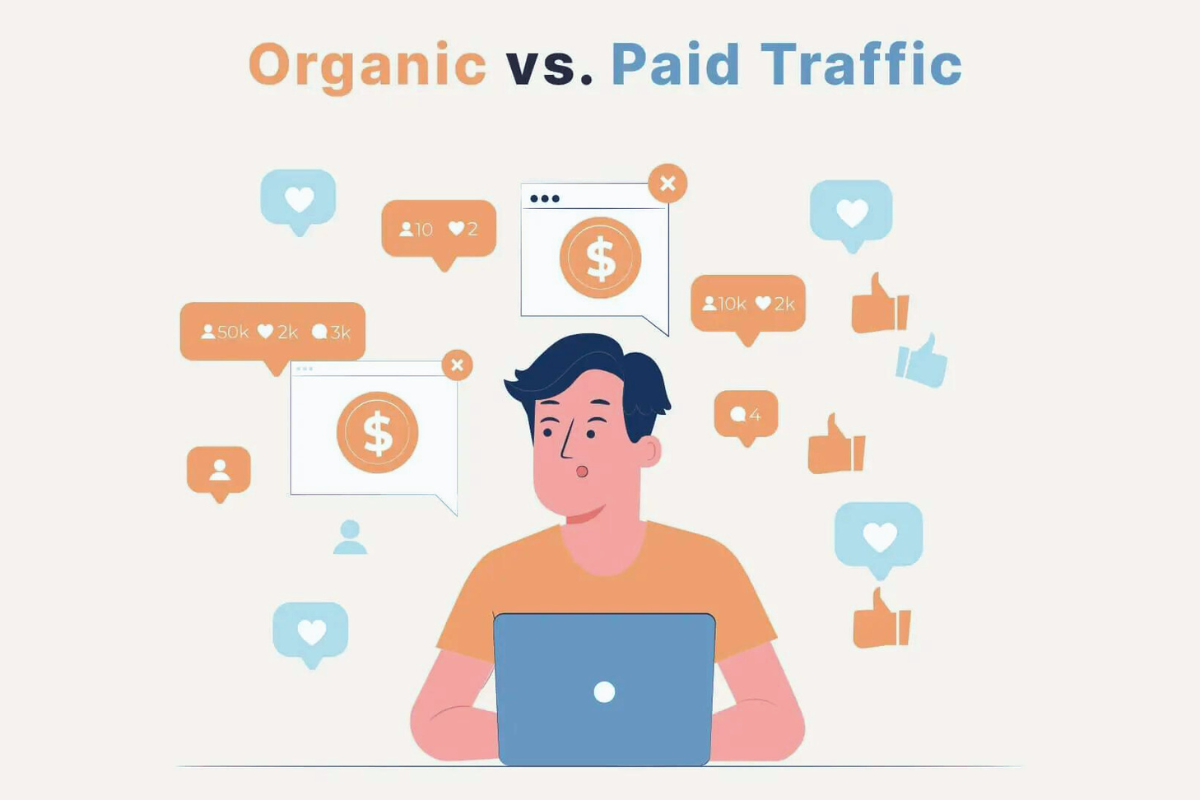
Introduction In the ever-evolving world of digital marketing, understanding the dynamics of web traffic is crucial. As we navigate through 2024, the debate between organic traffic vs paid traffic continues to be a hot topic. For businesses looking to optimize their online presence, knowing the strengths and weaknesses of organic traffic vs paid traffic is essential. This article delves deep into the organic traffic vs paid traffic, exploring their key differences, future trends, and best practices for maximizing their effectiveness. What is Organic Traffic? Definition of Organic Traffic Organic traffic refers to visitors who land on your website as a result of unpaid search engine results. These visitors are typically directed to your site through search engines like Google, Bing, or Yahoo based on the relevance of your content to their search queries. How Organic Traffic is Generated Organic traffic is primarily generated through search engine optimization (SEO) practices, which aim to improve your website’s visibility on search engine results pages (SERPs). By optimizing content, metadata, and site structure, you can increase the likelihood of ranking higher for relevant keywords, thus attracting organic traffic. Key Characteristics of Organic Traffic Benefits of Organic Traffic What is Paid Traffic? Definition of Paid Traffic Paid traffic refers to visitors who arrive at your website through paid advertisements, such as Google Ads, social media ads, or display networks. Businesses pay for these ads to appear in front of targeted audiences based on specific criteria. How Paid Traffic is Generated Paid traffic is generated through advertising campaigns where businesses bid on keywords or demographics to display their ads. These ads can appear on search engines, social media platforms, or other websites, driving traffic directly to your site. Key Characteristics of Paid Traffic Benefits of Paid Traffic Organic Traffic: A Deep Dive SEO Best Practices for Organic Traffic SEO is the cornerstone of organic traffic generation. It involves optimizing various aspects of your website, including keyword usage, meta descriptions, and technical SEO (site speed, mobile optimization). Staying updated with SEO trends is crucial, as search engine algorithms continuously evolve. The Role of Content Marketing in Organic Traffic Content marketing plays a vital role in attracting organic traffic. By creating valuable, informative, and relevant content, you can position your website as an authority in your niche. Blogs, articles, infographics, and videos can all contribute to a strong content marketing strategy. Social Media’s Impact on Organic Traffic While social media primarily drives referral traffic, it can also boost organic traffic by increasing your content’s visibility and shareability. Engaging with your audience on platforms like Facebook, Twitter, and LinkedIn can indirectly improve your organic search rankings. The Importance of Backlinks In SEO, backlinks—links from external websites pointing to yours—are crucial for improving search engine rankings.. High-quality backlinks signal to search engines that your site is a credible source of information, improving your chances of ranking higher in search results. The Role of User Experience (UX) in Driving Organic Traffic User experience (UX) is increasingly important for organic traffic. A well-designed, easy-to-navigate website not only keeps visitors engaged but also encourages them to return. Search engines prioritize sites that offer a positive user experience, making UX a crucial aspect of SEO. Paid Traffic: A Deep Dive Overview of Paid Traffic Channels Paid traffic can be generated through various channels, including search engine marketing (SEM), social media ads, display ads, and influencer marketing. Each channel has its own strengths and is suitable for different business objectives. Pay-Per-Click (PPC) Advertising Explained PPC advertising, most commonly associated with Google Ads, involves bidding on keywords so that your ad appears at the top of search results. You are charged only when someone clicks on your ad, making it a cost-efficient method for generating targeted traffic. The Role of Social Media Advertising in Paid Traffic Social media platforms like Facebook, Instagram, and LinkedIn offer extensive advertising solutions.. These platforms allow you to target users based on demographics, interests, and behaviors, making them powerful tools for driving paid traffic. Display Advertising: Pros and Cons Display advertising includes placing banner ads on websites across a display network. While these ads can increase brand visibility, they often have lower click-through rates compared to search and social ads. The Impact of Influencer Marketing on Paid Traffic Influencer marketing, where businesses collaborate with influencers to promote their products, has become a popular paid traffic strategy. Influencers can drive significant traffic by leveraging their large and engaged audiences. Organic Traffic vs Paid Traffic: Key Differences Cost Comparison: Organic Traffic vs Paid Traffic Organic traffic is essentially free but requires time and effort to build. Paid traffic, on the other hand, delivers immediate results but can be expensive, especially in competitive industries. Time to Results: Organic Traffic vs Paid Traffic Paid traffic offers instant gratification, with results visible as soon as the campaign goes live. Organic traffic, however, takes longer to build but provides more sustainable results over time. Sustainability: Organic Traffic vs Paid Traffic Organic traffic is generally more sustainable in the long run. Once established, it continues to drive visitors without ongoing costs. Paid traffic, however, stops as soon as the ad spend is paused. Scalability: Organic Traffic vs Paid Traffic Paid traffic is easily scalable—you can increase traffic simply by raising your ad budget. Organic traffic is harder to scale, as it requires continuous effort in content creation and SEO optimization. Audience Trust: Organic Traffic vs Paid Traffic Organic search results are generally trusted more by users compared to paid advertisements. While paid ads can drive traffic quickly, organic traffic often leads to higher engagement and conversion rates due to the trust factor. Analytics and Tracking: Organic Traffic vs Paid Traffic Both organic and paid traffic can be tracked and analyzed, but paid traffic offers more detailed insights. Platforms like Google Ads and Facebook Ads provide comprehensive analytics, allowing for precise campaign adjustments. Predictions for organic traffic in 2024. Trends in SEO and Their Impact on Organic Traffic SEO trends in 2024 are likely to focus on user

Introduction Long Tail and Short Tail Keywords curve is crucial in the constantly changing realm of SEO. As we navigate through 2024, the role of keywords remains central to driving organic traffic. But with the landscape constantly changing, a common question arises: Should you focus on long tail or short tail keywords to boost your traffic? This article delves into the pros and cons of each and helps you determine which strategy will best suit your needs in 2024. Understanding Long Tail and Short Tail Keywords Definition of Keywords Keywords are the specific terms and phrases users enter into search engines to find relevant information, linking their search intent with the content you offer. Role of Keywords in SEO Keywords play a pivotal role in SEO by helping search engines understand the content of your page. They influence rankings and visibility, ultimately driving traffic to your website. What Are Short Tail Keywords? Definition and Examples Short tail keywords, also known as head terms, are typically one to three words in length. Examples include “shoes,” “digital marketing,” and “pizza.” Characteristics of Short Tail Keywords Short tail keywords are broad and often have a high search volume. They target a wide audience but are highly competitive. What Are Long Tail Keywords? Definition and Examples Long tail keywords are longer, more specific phrases, usually consisting of four or more words. Examples include “best running shoes for flat feet,” “digital marketing strategies for small businesses,” and “gluten-free pizza recipes.” Characteristics of Long Tail Keywords Long tail keywords have a lower search volume but are less competitive. They target a niche audience and are often more specific in nature. Benefits of Short Tail Keywords High Search Volume Short tail keywords attract a large number of searches, providing an opportunity for high visibility. Competitive Nature Due to their broad nature, these keywords are highly competitive, often dominated by well-established websites. Broad Reach Short tail keywords can reach a wide audience, making them suitable for brand awareness campaigns. Drawbacks of Short Tail Keywords High Competition The competitive nature of short tail keywords can make it difficult for new or smaller websites to rank highly. For example, trying to rank for “SEO” might be a challenge for a new blog. Lower Conversion Rates Broad searches often indicate less specific intent, leading to lower conversion rates compared to more targeted queries. Someone searching for “shoes” may just be browsing, whereas someone searching for “best running shoes for flat feet” likely has a purchase intent. Benefits of Long Tail Keywords Lower Competition Long tail keywords face less competition, making it easier for new or smaller websites to rank. For instance, “how to start a blog in 2024” is more specific and less competitive than “blogging.” Higher Conversion Rates These keywords cater to specific search intents, resulting in higher conversion rates. A user searching for “affordable SEO services for small businesses” is more likely ready to make a purchase compared to someone searching for “SEO.” More Specific Targeting Long tail keywords allow for more precise targeting, attracting users who are further along in the buying process. Drawbacks of Long Tail and Short Tail Keywords Lower Search Volume The specificity of long tail keywords means they attract fewer searches. Niche Audience Long tail keywords target a narrower audience, which may limit the overall reach. How to Choose Between Long Tail and Short Tail Keywords Analyzing Your Goals Consider your SEO goals. Are you aiming for broad brand awareness or targeting a specific niche? Understanding Your Audience Knowing your audience’s search behavior can help determine whether long tail and short tail keywords will be more effective. Keyword Research Tools Utilize long tail and short tail keywords research tools to analyze search volume, competition, and relevance. Case Studies for Long Tail and Short Tail Keywords Successful Use of Short Tail Keywords A major e-commerce site successfully used short tail keywords to drive massive traffic and brand awareness. Successful Use of Long Tail Keywords A niche blog saw a significant increase in conversions by focusing on highly specific long tail keywords. SEO Trends in 2024 Voice Search Optimization Long tail keywords are gaining importance due to the increase in voice search usage. AI and Machine Learning in Keyword Research AI tools are revolutionizing how we research and utilize keywords, providing deeper insights and more accurate targeting. User Intent Focus Understanding and targeting user intent is crucial for effective SEO in 2024. Tools for Keyword Research for Long Tail and Short Tail Keywords Popular Keyword Research Tools Tools like Google Keyword Planner, Ahrefs, and SEMrush are invaluable for keyword research. How to Use These Tools Effectively Learn to use these tools to analyze keyword metrics, find related keywords, and assess competition. Optimizing Content with Keywords Best Practices for Using Keywords in Content Incorporate keywords naturally, focus on user experience, and avoid keyword stuffing. On-page SEO Techniques Enhance meta tags, headings, and content structure to improve visibility in on-page search engines Common Mistakes to Avoid Keyword Stuffing Excessive use of keywords in your content can result in penalties from search engines Ignoring User Intent Failing to address user intent can result in high bounce rates and low engagement. Failing to Update Keyword Strategy Regularly update your keyword strategy to stay relevant and competitive. Conclusion Both long tail and short tail keywords have their place in a robust SEO strategy. Understanding their strengths and weaknesses will help you make informed decisions to boost your traffic in 2024. By aligning your keyword strategy with your goals and audience needs, you can achieve better SEO results. FAQs What is the main difference between long tail and short tail keywords? Long tail keywords are longer, more specific phrases with lower search volume and competition, while short tail keywords are broad and highly competitive. How do I find long tail keywords for my niche? Use keyword research tools and analyze your audience’s search behavior to find relevant long tail keywords. Can short tail keywords still be effective in 2024? Yes, short

Introduction Understanding Digital Marketing Definition and Basics scope of Digital marketing involves utilizing online platforms such as search engines, social media, email, and websites to engage with both existing and potential customers, encompassing all marketing efforts through internet or electronic devices. Evolution Over the Years From the early days of simple banner ads and email campaigns to the complex, data-driven strategies used today, digital marketing has continuously evolved. The rise of social media, mobile technology, and artificial intelligence has significantly transformed the landscape. Importance of Digital Marketing Digital marketing is crucial for businesses of all sizes as it offers a cost-effective way to reach a large audience. It allows for precise targeting and personalized communication, helping businesses to build strong relationships with their customers. The Expanding Horizons of Digital Marketing Scope of Digital Marketing in Artificial Intelligence and Machine Learning Personalized Customer Experiences AI and machine learning empower marketers to analyze extensive data sets, enabling them to deliver deeply personalized experiences. From personalized email campaigns to tailored product recommendations, AI helps in understanding and predicting customer behavior. Predictive Analytics Predictive analytics employs historical data for anticipating future trends. Marketers can use these insights to optimize their strategies, improve customer retention, and increase ROI. Voice Search Optimization The Rise of Voice Assistants With the increasing popularity of voice-activated devices like Amazon Alexa, Google Assistant, and Apple Siri, voice search is becoming a significant aspect of digital marketing. Consumers are using voice search for everything from finding local businesses to making online purchases. Optimizing Content for Voice Search To stay competitive, businesses need to optimize their content for voice search. This involves using natural language, focusing on long-tail keywords, and providing concise answers to common questions. Video Marketing Live Streaming Live streaming enables businesses to interact with their audience in real-time. Platforms like Facebook Live, Instagram Live, and YouTube Live provide opportunities for live product demonstrations, Q&A sessions, and behind-the-scenes content. Short-form Videos Short-form videos, especially those on platforms like TikTok and Instagram Reels, are gaining popularity. These videos are engaging, easy to consume, and highly shareable, making them an effective tool for brand promotion. Social Media Marketing Emerging Platforms New social media platforms are continually emerging, offering fresh opportunities for businesses to connect with their audience. Staying updated with these platforms can give businesses a competitive edge. New Features and Advertising Options Established platforms like Facebook, Instagram, and LinkedIn are constantly introducing new features and advertising options. Businesses can use these tools to create more targeted and interactive marketing campaigns. Content Marketing High-Quality Content High-quality, relevant content remains the cornerstone of effective digital marketing. Creating valuable content that addresses the needs and interests of the audience helps in building trust and authority. Storytelling and User-Generated Content Storytelling creates an emotional connection with the audience, making the brand more relatable. User-generated content, such as customer reviews and testimonials, adds authenticity and can significantly influence purchasing decisions. AR and VR Experiences Augmented reality (AR) and virtual reality (VR) are transforming content marketing by providing immersive experiences. From virtual try-ons to interactive 3D models, AR and VR offer unique ways to engage customers. Technological Advancements Driving Digital Marketing Data Analytics Importance of Big Data Big data analytics enables marketers to gain deep insights into customer behavior, preferences, and trends. This data-driven approach helps in making informed decisions and creating more effective marketing strategies. Real-Time Data Analysis Real-time data analysis allows businesses to monitor the performance of their campaigns and make adjustments on the fly. This agility can lead to better results and higher customer satisfaction. Influencer Marketing Collaboration with Influencers Collaborating with influencers helps businesses reach niche audiences and build brand credibility. Influencers have the ability to offer genuine endorsements that deeply connect with their followers. Reaching Niche Audiences Influencer marketing is particularly effective for targeting specific demographics or interest groups. By partnering with influencers who have a strong connection with their audience, businesses can achieve more targeted reach. Omnichannel Marketing Seamless Customer Experience Omnichannel marketing focuses on providing a seamless customer experience across multiple channels. Whether online or offline, customers should have a consistent and integrated experience with the brand. Integration of Online and Offline Channels Integrating online and offline marketing efforts ensures that customers receive a unified message. This approach can enhance customer loyalty and drive more conversions. Challenges and Considerations Privacy and Data Security Stricter Regulations With increasing concerns about data privacy, regulations like the GDPR and CCPA have been implemented to protect consumer data. Marketers must ensure compliance with these regulations to avoid penalties and build trust with their audience. Balancing Personalization and Privacy While personalization is key to effective marketing, it must be balanced with respect for privacy. Businesses need to be transparent about data collection and use practices and provide options for customers to control their data. Keeping Up with Rapid Changes Continuous Learning The scope of digital marketing landscape is constantly evolving, requiring marketers to stay updated with the latest trends and technologies. Continuous learning and professional development are essential to stay competitive. Adapting to New Technologies Adapting to new technologies help to develop the scope of digital marketing that can be challenging but is crucial for staying ahead. Businesses should be open to experimenting with new tools and platforms to find what works best for them. Conclusion The scope of digital marketing is bright and full of opportunities. With advancements in technology, the scope of digital marketing is expanding rapidly, offering businesses new ways to connect with their audience and drive growth. Businesses can unlock the full potential of digital marketing by staying current with the latest trends and continually adapting their strategies. FAQs What is the scope of digital marketing? The scope of digital marketing lies in leveraging advanced technologies like AI, voice search, and AR/VR to create personalized and immersive experiences for customers. How will AI impact digital marketing? AI will revolutionize digital marketing by enabling personalized customer experiences, predictive analytics, and efficient data analysis, leading to more effective marketing strategies. What are

Introduction In the ever-evolving digital marketing landscape of 2024, SEO audits and checklist have become more crucial than ever. Whether you’re looking to enhance your website’s performance or drive more traffic, a comprehensive SEO audit can be the key to unlocking your site’s potential. This guide will walk you through an essential SEO audit checklist, providing you with the tools, tips, and techniques needed to maximize your traffic and improve your online presence. What is an SEO Audit? Definition and Purpose An SEO audit is a systematic evaluation of your website’s search engine optimization efforts. It involves analyzing various components of your site to identify issues and opportunities for improvement. The primary goal is to ensure that your site adheres to best SEO practices, performs well in search engines, and provides a great user experience. How SEO Audit Drive Traffic By addressing SEO issues, you can improve your site’s visibility in search engine results, leading to increased organic traffic. A well-executed audit helps optimize your site’s structure, content, and technical elements, making it easier for search engines to crawl and index your pages. Understanding the Importance of an SEO Audit Checklist Benefits of a Structured Approach A detailed SEO audit checklist ensures that every critical aspect of your website is reviewed. This structured approach helps you systematically identify and address issues, leading to more effective optimization efforts. Common Pitfalls Without a Checklist Without a checklist, you might overlook important elements, leading to incomplete audits and missed opportunities for improvement. A structured checklist helps avoid these pitfalls and ensures a comprehensive analysis. Technical SEO Checklist Website Speed and Performance Tools to Measure Speed Use tools like Google PageSpeed Insights, GTmetrix, and Pingdom to assess your site’s speed. These tools provide insights into factors affecting performance and suggest improvements. Tips for Optimization Mobile Optimization Importance for User Experience With the majority of searches now coming from mobile devices, ensuring your site is mobile-friendly is crucial. Responsive design ensures a consistent user experience on every device. Testing and Improving Mobile Usability Use Google’s Mobile-Friendly Test to evaluate your site’s mobile usability. Address issues such as viewport settings and touch elements to enhance mobile performance. Crawlability and Indexability Checking Robots.txt and XML Sitemap Make sure your robots.txt file is properly set up to permit search engines to crawl your site. Verify your XML sitemap is up-to-date and submitted to search engines. Fixing Crawl Errors Monitor Google Search Console for crawl errors and resolve issues such as broken links and inaccessible pages to improve your site’s indexability. On-Page SEO Checklist Keyword Research and Optimization Finding the Right Keywords Use tools like SEMrush, Ahrefs, and Google Keyword Planner to find relevant keywords for your audience. Ensure a balanced approach by incorporating both short-tail and long-tail keywords. Placement and Density Integrate keywords organically into your content, ensuring they appear naturally in titles, headers, and body text. Avoid overloading with keywords, as this can harm readability and SEO effectiveness. Meta Tags and Headers Crafting Effective Title Tags and Meta Descriptions Create compelling and descriptive title tags and meta descriptions for each page. Ensure they include relevant keywords and accurately reflect the content. Using Header Tags Correctly Utilize header tags (H1, H2, H3, etc.) to structure your content hierarchically for improved readability and SEO. Content Quality and Relevance Assessing Content for Value and Engagement Evaluate your content for quality, relevance, and engagement. Ensure it provides value to your audience and addresses their needs and interests. Avoiding Duplicate Content Use tools like Copyscape and Siteliner to check for duplicate content. Unique and original content is essential for ranking well in search engines. Off-Page SEO Checklist Backlink Analysis Evaluating Backlink Quality Analyze your backlink profile to assess the quality and relevance of links pointing to your site. Use tools like Ahrefs and Moz to identify and disavow low-quality links for off-page SEO. Strategies for Acquiring High-Quality Links Social Signals Importance of Social Media Engagement Interacting with your audience on social media through likes, shares, and comments can enhance your site’s visibility and credibility, positively impacting your SEO endeavors. Measuring Social Signals Use tools like Google Analytics and social media analytics platforms to track social signals and their impact on your SEO performance. Local SEO Factors Optimizing Google My Business Take ownership of and enhance your Google My Business listing to boost visibility in local searches. Ensure your business information is accurate and complete. Managing Local Listings Maintain consistency across all local listings and directories. Ensure your business name, address, and phone number (NAP) are accurate and uniform. User Experience and SEO Site Structure and Navigation Ensuring Easy Navigation A clear and intuitive site structure enhances user experience and helps search engines crawl your site effectively. Use a logical hierarchy and breadcrumb navigation. Optimizing Site Architecture Organize your content into categories and subcategories for better navigation. Use internal linking to guide users and search engines through your site. Engagement Metrics Understanding Bounce Rate and Time on Page Monitor metrics like bounce rate and time on page to gauge user engagement. High bounce rates and low time on page may indicate issues with content or usability. Improving User Engagement Enhance user engagement by providing valuable content, optimizing page load times, and ensuring a seamless browsing experience. User Interface and Design Enhancing Visual Appeal and Usability Invest in a professional and visually appealing design that aligns with your brand. A well-designed site enhances usability and encourages users to stay longer. Mobile-First Design Principles Adopt a mobile-first approach to ensure your site is optimized for mobile devices. This includes responsive design, touch-friendly elements, and fast load times. Content SEO Audit Checklist Identifying Content Gaps Finding Missing Topics and Keywords Analyze your content to identify gaps and opportunities. Research competitor content and industry trends to find new topics and keywords. Researching Competitor Content Evaluate the content strategies of your competitors to gain insights and identify areas where you can differentiate and improve. Refreshing and Updating Content Keeping Content Relevant and Accurate Regularly update your content

Introduction HTTP status codes are critical components of web communication, indicating the success or failure of a request made to a server. Understanding these codes is vital for website owners, as they directly impact user experience and search engine optimization (SEO). In this comprehensive guide, we delve into the world of HTTP status codes, exploring their types, significance, and the best practices for managing them effectively. Definition of HTTP Status Codes HTTP status codes are standardized three-digit numbers issued by servers in response to client requests. These codes are part of the HTTP protocol and serve as indicators of the request’s status, helping both clients and servers communicate efficiently. Importance of HTTP Status Codes HTTP status codes play a crucial role in web development and management. They help website owners and developers identify issues, optimize website performance, and enhance user experience. Proper understanding and management of these codes can significantly improve a website’s SEO performance. Overview of Common HTTP Status Codes There are five categories of HTTP status codes: Types of HTTP Status Codes Informational Responses (1xx) 100 Continue: The client has received the initial part of the request and may proceed further. 101 Switching Protocols: The server acknowledges and is prepared to adhere to the client’s request for protocol switch. 102 Processing: The server has acknowledged receipt of the request and is currently processing it, but a response is not yet available. Successful Responses (2xx) 200 OK: The request was successful, and the server has sent the requested resource. 201 Created: The request succeeded, resulting in the creation of a new resource. 202 Accepted: The request has been acknowledged for processing, but it is still undergoing completion.. 204 No Content: The server has successfully processed the request, but there is no content available to include in the response. Redirection Messages (3xx) 301 Moved Permanently: The requested resource has permanently shifted to a new URL. 302 Found: The requested resource is currently hosted at a different URL on a temporary basis. 304 Not Modified: The resource remains unchanged since the last request, allowing the client to utilize the cached version. Client Error Responses (4xx) 400 Bad Request: The server is unable to process the request because of an error on the client side (such as malformed request syntax). 401 Unauthorized: The request requires user authentication. 403 Forbidden: The server comprehends the request but declines authorization. 404 Not Found: The server cannot find the requested resource. 429 Too Many Requests: The user has exceeded the maximum number of requests allowed within a specified timeframe. Server Error Responses (5xx) 500 Internal Server Error: The server faced an unexpected issue that prevented it from completing the request. 502 Bad Gateway: The server received an incorrect response from the upstream server. 503 Service Unavailable: The server is currently unable to process the request due to a temporary overload or maintenance. 504 Gateway Timeout: The server did not receive a timely response from the upstream server. Importance of Understanding HTTP Status Codes Enhancing User Experience HTTP status codes provide essential information about the status of a request. Understanding these codes allows website owners to ensure smooth navigation and interaction for users, enhancing overall user experience. Improving SEO Performance Search engines use HTTP status codes to understand how a website is structured and how it handles requests. Proper management of these codes can lead to better indexing and ranking of web pages, thus improving SEO performance. Diagnosing and Fixing Errors HTTP status codes help in diagnosing and fixing errors quickly. By understanding the meaning and implications of these codes, website owners can efficiently troubleshoot issues and maintain website functionality. Common Causes and Solutions for HTTP Errors 400 Bad Request Causes: Solutions: 401 Unauthorized Causes: Solutions: 403 Forbidden Causes: Solutions: 404 Not Found Causes: Solutions: 500 Internal Server Error Causes: Solutions: Monitoring and Logging HTTP Status Codes Importance of Monitoring HTTP Status Codes Monitoring HTTP status codes is crucial for maintaining website health and performance. It helps in identifying and resolving issues promptly, ensuring a smooth user experience and optimal SEO performance. Tools for Monitoring Google Analytics Google Analytics provides detailed insights into website traffic and user behavior, including HTTP status codes. Server Logs Server logs record all requests made to the server, including the resulting status codes. Analyzing these logs can help in identifying and troubleshooting issues. Third-Party Tools Various third-party tools, such as Pingdom and New Relic, offer comprehensive monitoring solutions for HTTP status codes. Best Practices for Logging and Monitoring The influence of HTTP status codes on SEO How HTTP Status Codes Affect SEO HTTP status codes directly impact SEO performance. Search engines use these codes to understand how a website handles requests and to determine the relevance and accessibility of web pages. Managing Redirects for SEO Proper management of redirects is essential for maintaining SEO value. Using 301 redirects for permanent changes and 302 redirects for temporary changes ensures that search engines index the correct URLs. Handling 404 Errors Handling 404 errors effectively is crucial for maintaining user engagement and SEO performance. Implementing custom 404 pages with helpful navigation links can reduce bounce rates and improve user experience. Optimizing Server Performance Optimizing server performance by minimizing server errors and reducing response times can enhance user experience and improve SEO rankings. Best Practices for Managing HTTP Status Codes Setting Up Proper Redirects Regularly Checking for Broken Links Ensure to utilize tools such as Google Search Console for detecting broken links, and maintain a routine for reviewing and updating both internal and external links. Using Custom Error Pages Ensuring Server Reliability Case Studies Case Study 1: Impact of 301 Redirects on SEO This case study explores how a website improved its SEO performance by correctly implementing 301 redirects. By transferring the ranking power from old URLs to new ones, the website maintained its search engine rankings and enhanced user experience. Case Study 2: Handling 404 Errors Effectively This case study examines a website that reduced its bounce rate and improved user engagement by implementing
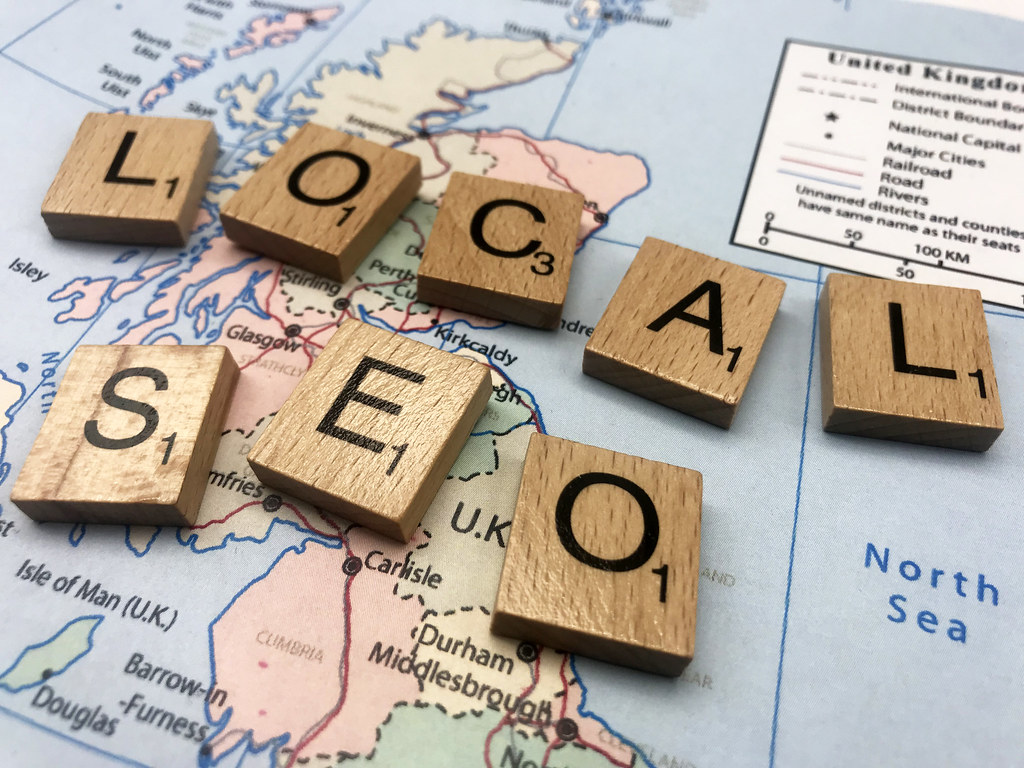
Introduction Local SEO is crucial for any business looking to attract customers in specific geographic areas. With 2024 bringing new trends and strategies, mastering local SEO can help you dominate your market. Let’s dive into the essential tips and tricks to boost your local search presence and drive more foot traffic to your business. Understanding Local SEO What is Local SEO? Local SEO aims to enhance your online visibility, drawing in more local business from searches conducted on Google and other search engines. Differences Between Local and Global SEO? While global SEO focuses on broad keywords and attracting a worldwide audience, local SEO zeroes in on specific locations. It involves targeting location-based keywords and optimizing your online presence for local search queries Setting Up Your Local SEO Strategy Conducting Local Keyword Research Begin by pinpointing keywords pertinent to your business and geographic location. Use tools like Google Keyword Planner and Ahrefs to find keywords with local intent, such as “best pizza in [city]” or “plumber near me.” Analyzing Competitors Look at your competitors’ local SEO strategies. Analyze their keywords, content, backlinks, and Google My Business profiles to identify gaps and opportunities. Enhancing Your Google My Business (GMB) Profile Creating and Verifying Your GMB Listing Claim and verify your GMB listing to ensure your business appears in local searches and Google Maps. This verification process usually involves receiving a postcard with a verification code from Google. Optimizing Your GMB Information Make sure your GMB profile is fully filled out with accurate business details, including your business name, address, phone number (NAP), website, operating hours, and relevant categories. Encouraging and Managing Reviews Encourage happy customers to share positive reviews on your Google My Business (GMB) profile. Respond to reviews, both positive and negative, to show you value customer feedback and are committed to improving your business. On-Page SEO for Local Businesses Title Tags and Meta Descriptions Optimize your title tags and meta descriptions with local keywords to improve your search visibility. Ensure they are compelling and accurately describe your business. Using Local Keywords Incorporate local keywords naturally throughout your website content. Target keywords that potential customers are likely to use when searching for your products or services Optimizing Headers and Content Use H1, H2, and H3 tags effectively by including local keywords. Ensure your content provides value and addresses the needs of your local audience. Creating Location-Specific Pages Benefits of Location Pages Location-specific pages help you target multiple geographic areas. They can improve your local search rankings and provide a better user experience. How to Structure Location Pages Each location page should include unique content tailored to the specific area. Include information about local events, landmarks, and customer testimonials. Best Practices for Location Page Content Avoid duplicating content across location pages. Use unique, engaging content for each page, and include local keywords and phrases. Leveraging Local Citations What Are Local Citations? Local citations are online mentions of your business’s NAP. They are found on directories, websites, apps, and social platforms. Building and Managing Citations Ensure your business information is consistent across all citations. Use tools like Moz Local and BrightLocal to manage your citations and monitor for any inconsistencies. Utilizing Online Directories Top Directories for Local Businesses Get listed in popular directories like Yelp, Yellow Pages, and TripAdvisor. These platforms can drive significant local traffic to your business. How to Get Listed Claim and complete your profiles on these directories. Ensure your business information is accurate and up-to-date, and encourage customers to leave reviews. Building Local Backlinks Importance of Backlinks in Local SEO Backlinks from reputable local websites can boost your local search rankings. They signal to search engines that your business is trusted within the community. Strategies for Acquiring Local Backlinks Partner with local businesses, sponsor community events, and engage with local bloggers to build quality backlinks. Mobile Optimization The Role of Mobile in Local SEO With the increasing use of mobile devices for local searches, optimizing your website for mobile is crucial. Google gives preference to websites that are mobile-friendly in its search results. Tips for Mobile-Friendly Websites Ensure your website is responsive, loads quickly, and offers a seamless user experience on all devices. Use Google’s Mobile-Friendly Test tool to check your site’s performance. Leveraging Social Media for Local SEO Integrating Social Media with Local SEO Utilize social media platforms such as Facebook, Instagram, and Twitter to boost your local SEO by actively engaging with your community. Effective Social Media Strategies Share local news, events, and promotions. Encourage user-generated content and interact with your followers to build a strong local presence. Content Marketing for Local SEO Creating Localized Content Develop content that resonates with your local audience. Blog about local events, write guides about your city, and highlight customer stories. Types of Content to Engage Local Audiences Create blogs, videos, infographics, and social media posts. Ensure your content is informative, entertaining, and relevant to your local community. Using Analytics to Measure Local SEO Success Tools for Tracking Local SEO Performance Use tools like Google Analytics, Google Search Console, and Moz Local to track your local SEO efforts. Monitor your rankings, traffic, and conversions. Key Metrics to Monitor Focus on metrics such as local search rankings, organic traffic, click-through rates, and customer reviews. These indicators will help you measure the effectiveness of your local SEO strategy. Staying Updated with Local SEO Changes Keeping Up with Algorithm Updates Keep up to date with the most recent updates in search engine algorithms. Follow SEO blogs, forums, and Google’s official announcements to stay ahead. Resources for Local SEO News Subscribe to newsletters from sites like Search Engine Land, Moz, and SEMrush. Join SEO communities on social media to exchange knowledge and tips with other professionals. Conclusion Mastering local SEO is an ongoing process that requires consistent effort and adaptation to new trends. By implementing these tips and tricks, you can improve your local search rankings, attract more customers, and dominate your market in 2024. FAQs What is the most important factor in local
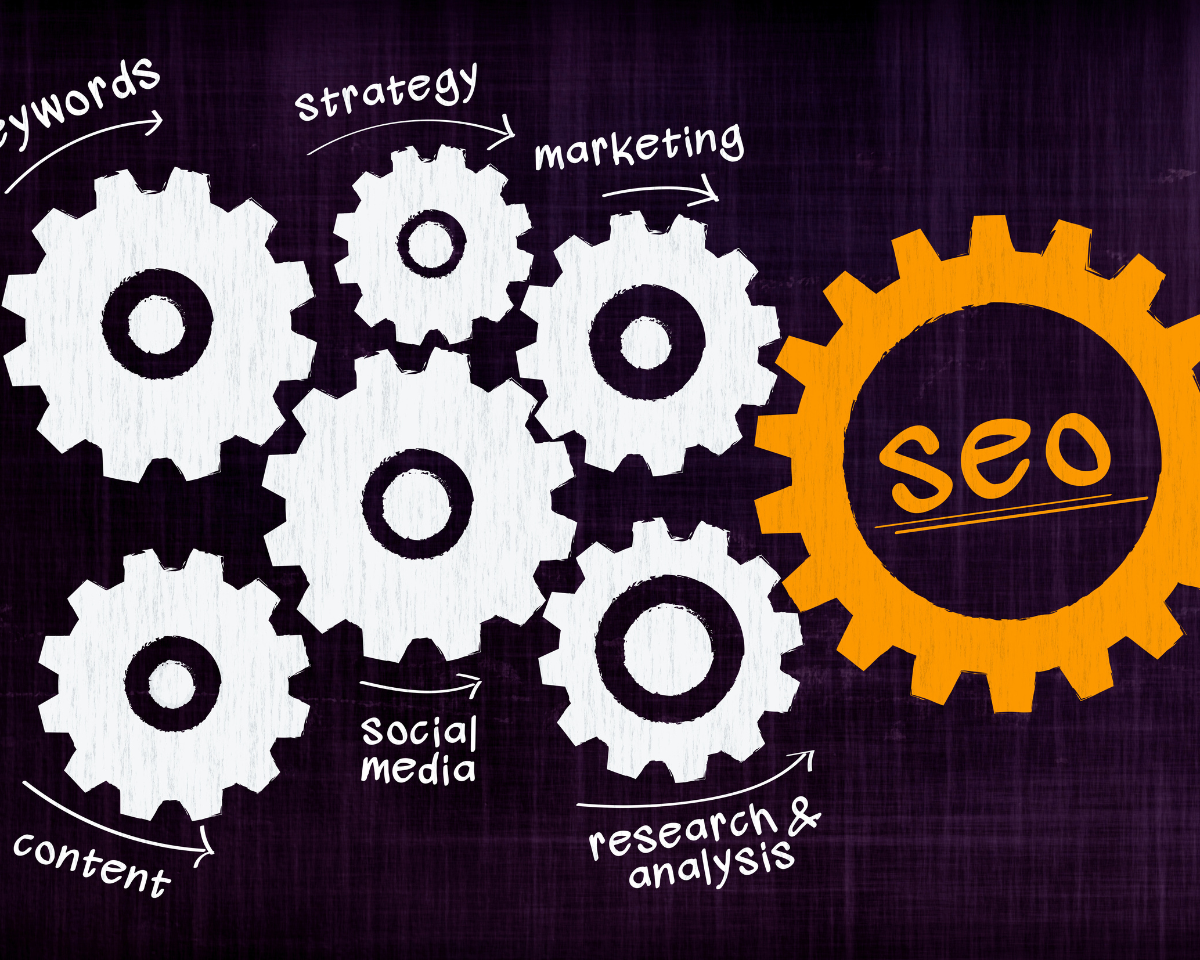
Introduction Keeping up with the rapid changes in digital marketing, maintaining Technical SEO and advanced SEO strategies for your website is essential. One key component that often gets overlooked is technical SEO. But what exactly is technical SEO, and why is it so important in 2024? Let’s dive in. Technical SEO refers to optimizing your website’s infrastructure to make it easier for search engines to crawl, index, and rank your site. It’s the backbone of your SEO strategy, ensuring that your site is accessible, fast, and user-friendly. With search engines becoming more sophisticated, the technical aspects of SEO are more critical than ever. Website Structure and Navigation Optimizing URL Structure: A clean, organized URL structure helps both users and search engines understand the hierarchy of your site. Use descriptive keywords and keep URLs short and simple. Implementing Breadcrumbs: Breadcrumbs enhance navigation and aid search engines in comprehending your site’s organization. They enhance the user experience by allowing visitors to easily track their location within the site. Crawling and Indexing XML Sitemaps: An XML sitemap acts like a roadmap for search engines, guiding them to all your important pages. Ensure your sitemap is current and includes all pertinent pages. Robots.txt File: The robots.txt file tells search engines which pages to crawl and which to ignore. Make sure your robots.txt file is properly set up to prevent unintentionally blocking crucial pages. Canonical Tags: Canonical tags prevent issues with duplicate content by specifying the preferred version of a webpage. Use canonical tags to consolidate link equity and avoid confusing search engines. Site Speed and Performance Importance of Site Speed: Site speed is a critical ranking factor. A sluggish website can frustrate users and result in increased bounce rates. Search engines prioritize fast-loading sites, so optimizing speed is essential. Tools to Measure Site Speed: Use tools like Google PageSpeed Insights, GTmetrix, and Pingdom to assess your site’s speed and identify areas for improvement. Tips to Improve Site Speed Mobile-Friendliness Mobile-First Indexing: With the majority of internet traffic coming from mobile devices, Google uses mobile-first indexing. Make sure your website is fully optimized to cater to mobile users. Responsive Design A responsive design adjusts to different screen sizes, providing a seamless experience across devices. This is essential for both enhancing user experience and optimizing SEO. Accelerated Mobile Pages (AMP) AMP is designed as a framework to build mobile pages that load quickly, enhancing mobile performance and improving user experience. Secure Sockets Layer (SSL) Importance of HTTPS: HTTPS encrypts data, ensuring secure communication between the user and your site. Ensure that your site utilizes HTTPS, as it is also a ranking factor. How to Implement SSL: Obtain an SSL certificate and set up your server to utilize HTTPS. Update your site’s internal links to point to the HTTPS version. On-Page SEO Elements Meta Titles and Descriptions: Craft unique, descriptive meta titles and descriptions for each page. These elements assist search engines in comprehending your page content and can impact click-through rates Header Tags: Structure your content using header tags such as H1, H2, and H3. Proper use of headers improves readability and helps search engines understand your content hierarchy. Image Optimization: Enhance website performance by using descriptive file names and alt text for images, and optimize load times by compressing images without compromising quality. Structured Data Markup What is Structured Data? Structured data uses a standardized format to provide search engines with additional information about your content. This can improve search result visibility through enriched snippets. Benefits of Structured Data: Structured data can improve your site’s visibility in search results and increase click-through rates by providing additional context. How to Implement Structured Data: Implement schema.org markup to integrate structured data into your website. Google’s Structured Data Testing Tool can help you validate your markup. Internal Linking Importance of Internal Linking: Internal links distribute link equity across your site and help search engines understand the relationship between pages. They also guide users to related content. Best Practices for Internal Linking: Error Handling and Redirects 404 Errors: A 404 error happens when a page cannot be located. Regularly monitor for 404 errors and fix them by redirecting to relevant content or updating links. 301 Redirects: Implement 301 redirects to permanently forward old URLs to new ones. This preserves link equity and ensures users and search engines find the correct pages. Broken Links: Broken links can harm user experience and SEO. Monitor and promptly repair broken links to uphold the integrity of the site. XML Sitemap Optimization Creating an XML Sitemap: An XML sitemap should include all essential pages. Use tools like Yoast SEO or Google XML Sitemaps to create and maintain your sitemap Submitting Sitemap to Search Engines: Submit your sitemap to Google Search Console and Bing Webmaster Tools to ensure search engines can easily find and index your content. Robots.txt Optimization Importance of Robots.txt: The robots.txt file manages the sections of your website that search engines can crawl. Properly configuring your robots.txt file helps manage crawl budget and avoid indexing unnecessary pages. Best Practices for Robots.txt: Site Architecture Flat vs. Deep Site Architecture: Flat site architecture minimizes the number of clicks needed to reach any page, improving crawl efficiency. Deep site architecture, on the other hand, can make some pages harder to find. Best Practices for Site Architecture: Content Delivery Network (CDN) What is a CDN? A CDN distributes your content across multiple servers worldwide, reducing load times for users based on their geographic location. Benefits of Using a CDN: Using a CDN can significantly improve site speed, enhance user experience, and reduce server load. How to Implement a CDN: Choose a CDN provider like Cloudflare or Akamai, and follow their setup instructions to integrate the CDN with your site. Monitoring and Auditing Regular SEO Audits: Regular SEO audits help identify and fix technical issues before they impact your rankings. Perform audits quarterly to stay on top of your site’s health. Tools for Monitoring SEO Performance: Use tools like Google Analytics, Google Search Console, and SEMrush