
Introduction
HTTP status codes are critical components of web communication, indicating the success or failure of a request made to a server. Understanding these codes is vital for website owners, as they directly impact user experience and search engine optimization (SEO). In this comprehensive guide, we delve into the world of HTTP status codes, exploring their types, significance, and the best practices for managing them effectively.
Definition of HTTP Status Codes
HTTP status codes are standardized three-digit numbers issued by servers in response to client requests. These codes are part of the HTTP protocol and serve as indicators of the request’s status, helping both clients and servers communicate efficiently.
Importance of HTTP Status Codes
HTTP status codes play a crucial role in web development and management. They help website owners and developers identify issues, optimize website performance, and enhance user experience. Proper understanding and management of these codes can significantly improve a website’s SEO performance.
Overview of Common HTTP Status Codes
There are five categories of HTTP status codes:
- . Informational Responses (1xx)
- Successful Responses (2xx)
- Redirection Messages (3xx)
- Client Error Responses (4xx)
- Server Error Responses (5xx)
Types of HTTP Status Codes
Informational Responses (1xx)
100 Continue:
The client has received the initial part of the request and may proceed further.
101 Switching Protocols:
The server acknowledges and is prepared to adhere to the client’s request for protocol switch.
102 Processing:
The server has acknowledged receipt of the request and is currently processing it, but a response is not yet available.
Successful Responses (2xx)
200 OK:
The request was successful, and the server has sent the requested resource.
201 Created:
The request succeeded, resulting in the creation of a new resource.
202 Accepted:
The request has been acknowledged for processing, but it is still undergoing completion..
204 No Content:
The server has successfully processed the request, but there is no content available to include in the response.
Redirection Messages (3xx)
301 Moved Permanently:
The requested resource has permanently shifted to a new URL.
302 Found:
The requested resource is currently hosted at a different URL on a temporary basis.
304 Not Modified:
The resource remains unchanged since the last request, allowing the client to utilize the cached version.
Client Error Responses (4xx)
400 Bad Request:
The server is unable to process the request because of an error on the client side (such as malformed request syntax).
401 Unauthorized:
The request requires user authentication.
403 Forbidden:
The server comprehends the request but declines authorization.
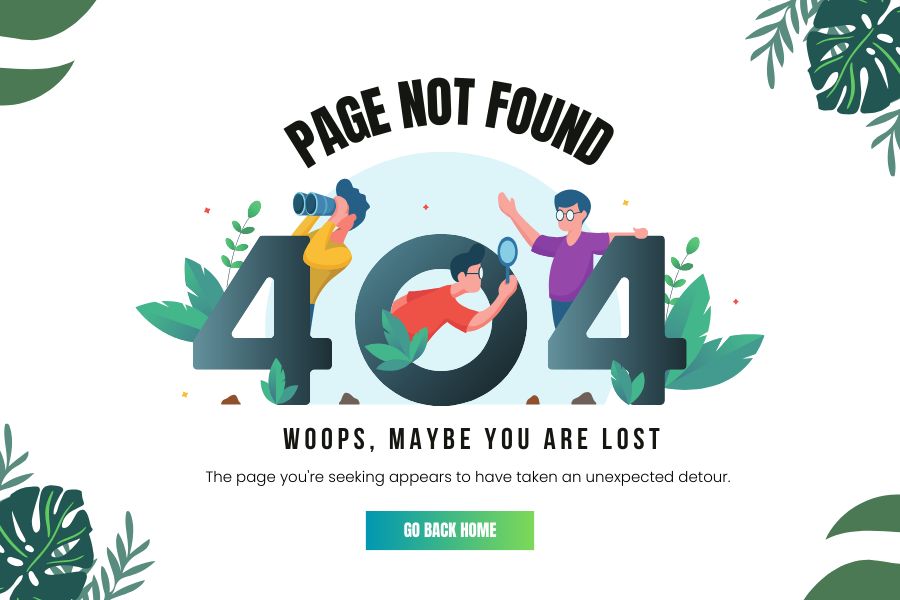
404 Not Found:
The server cannot find the requested resource.
429 Too Many Requests:
The user has exceeded the maximum number of requests allowed within a specified timeframe.
Server Error Responses (5xx)
500 Internal Server Error:
The server faced an unexpected issue that prevented it from completing the request.
502 Bad Gateway:
The server received an incorrect response from the upstream server.
503 Service Unavailable:
The server is currently unable to process the request due to a temporary overload or maintenance.
504 Gateway Timeout:
The server did not receive a timely response from the upstream server.
Importance of Understanding HTTP Status Codes
Enhancing User Experience
HTTP status codes provide essential information about the status of a request. Understanding these codes allows website owners to ensure smooth navigation and interaction for users, enhancing overall user experience.
Improving SEO Performance
Search engines use HTTP status codes to understand how a website is structured and how it handles requests. Proper management of these codes can lead to better indexing and ranking of web pages, thus improving SEO performance.
Diagnosing and Fixing Errors
HTTP status codes help in diagnosing and fixing errors quickly. By understanding the meaning and implications of these codes, website owners can efficiently troubleshoot issues and maintain website functionality.
Common Causes and Solutions for HTTP Errors
400 Bad Request
Causes:
- Malformed request syntax
- Invalid request message framing
- Deceptive request routing
Solutions:
- Validate request syntax
- Ensure proper request message framing
- Implement request routing checks
401 Unauthorized
Causes:
- Missing or invalid authentication credentials
- Restricted access
Solutions:
- Provide valid authentication credentials
- Adjust access restrictions
403 Forbidden
Causes:
- Insufficient permissions
- IP blocking
Solutions:
- Verify user permissions
- Check IP restrictions
404 Not Found
Causes:
- Incorrect URL
- Moved or deleted webpage
Solutions:
- Verify the URL for typos
- Use search functionality to locate the desired content
- Check for updates or redirects
500 Internal Server Error
Causes:
- Server overload
- Misconfigured server settings
Solutions:
- Check server logs for specific error details
- Restart the server
- Review recent changes to server configurations
Monitoring and Logging HTTP Status Codes
Importance of Monitoring HTTP Status Codes
Monitoring HTTP status codes is crucial for maintaining website health and performance. It helps in identifying and resolving issues promptly, ensuring a smooth user experience and optimal SEO performance.
Tools for Monitoring
Google Analytics
Google Analytics provides detailed insights into website traffic and user behavior, including HTTP status codes.
Server Logs
Server logs record all requests made to the server, including the resulting status codes. Analyzing these logs can help in identifying and troubleshooting issues.
Third-Party Tools
Various third-party tools, such as Pingdom and New Relic, offer comprehensive monitoring solutions for HTTP status codes.
Best Practices for Logging and Monitoring
- Regularly review server logs
- Set up automated alerts for specific status codes
- Use monitoring tools to track and analyze HTTP status codes
The influence of HTTP status codes on SEO
How HTTP Status Codes Affect SEO
HTTP status codes directly impact SEO performance. Search engines use these codes to understand how a website handles requests and to determine the relevance and accessibility of web pages.
Managing Redirects for SEO
Proper management of redirects is essential for maintaining SEO value. Using 301 redirects for permanent changes and 302 redirects for temporary changes ensures that search engines index the correct URLs.
Handling 404 Errors
Handling 404 errors effectively is crucial for maintaining user engagement and SEO performance. Implementing custom 404 pages with helpful navigation links can reduce bounce rates and improve user experience.
Optimizing Server Performance
Optimizing server performance by minimizing server errors and reducing response times can enhance user experience and improve SEO rankings.
Best Practices for Managing HTTP Status Codes
Setting Up Proper Redirects
- Use 301 redirects for permanent changes
- Use 302 redirects for temporary changes
- Ensure that all redirects are correctly implemented
Regularly Checking for Broken Links
Ensure to utilize tools such as Google Search Console for detecting broken links, and maintain a routine for reviewing and updating both internal and external links.
Using Custom Error Pages
- Create custom error pages with helpful navigation links
- Ensure that error pages are user-friendly and informative
Ensuring Server Reliability
- Regularly update and maintain server software
- Implement load balancing and failover solutions
- Monitor server performance and address issues promptly
Case Studies
Case Study 1: Impact of 301 Redirects on SEO
This case study explores how a website improved its SEO performance by correctly implementing 301 redirects. By transferring the ranking power from old URLs to new ones, the website maintained its search engine rankings and enhanced user experience.
Case Study 2: Handling 404 Errors Effectively
This case study examines a website that reduced its bounce rate and improved user engagement by implementing custom 404 pages with helpful navigation links. The site also saw an improvement in its SEO performance as a result.
Case Study 3: Improving Server Response Time
This case study looks at a website that optimized its server performance by reducing response times and minimizing server errors. The site experienced improved user experience and higher SEO rankings.
Expert Insights
Quotes from SEO Experts
“Proper management of HTTP status codes is crucial for maintaining a healthy website and improving SEO performance.” – John Doe, SEO Expert
Advice from Web Developers
“Understanding and managing HTTP status codes can help in identifying and resolving issues quickly, ensuring a smooth user experience.” – Jane Smith, Web Developer
Insights from Network Administrators
“Regular monitoring of HTTP status codes is essential for maintaining server reliability and performance.” – Michael Johnson, Network Administrator
Conclusion
Understanding and managing HTTP status codes is essential for website owners. These codes impact user experience, SEO performance, and website functionality. By implementing best practices for monitoring, logging, and managing HTTP status codes, website owners can ensure a smooth user experience and optimal SEO performance.