Introduction:
Optimizing on-page SEO is crucial for high search rankings in digital marketing . If you’re a beginner looking to enhance your website’s visibility in 2024, this guide is for you. We’ll walk you through the essentials of on-page SEO, providing practical tips and tricks to help you optimize your site effectively.
Understanding On-Page SEO:
What is On-Page SEO?
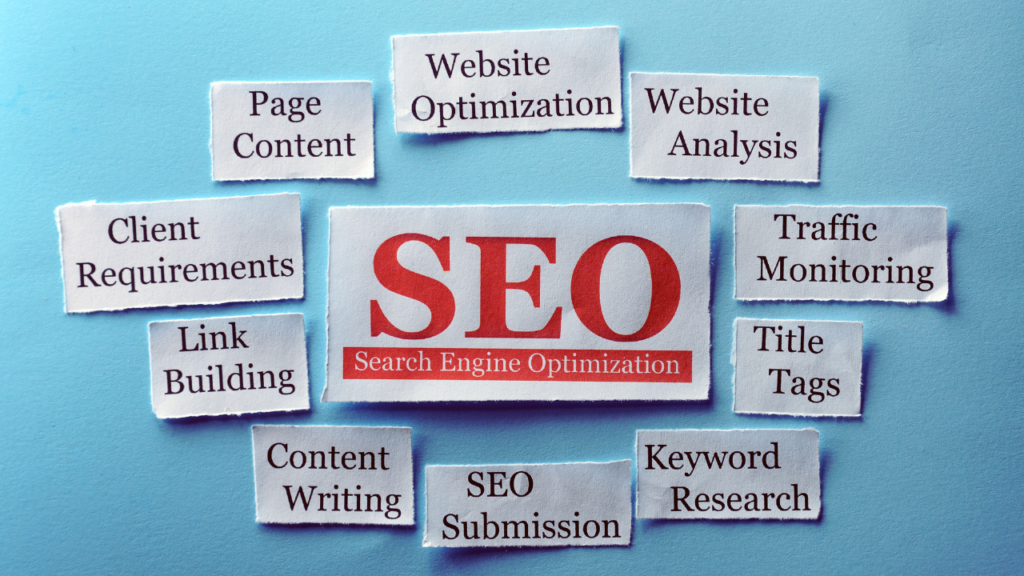
Optimize web pages to rank higher and attract relevant traffic in search engines with on-page SEO. This involves optimizing both the content and the HTML source code of a page, as opposed to off-page SEO, which involves links and other external signals.
On-Page vs. Off-Page SEO: What’s the Difference?
While on-page SEO focuses on elements within your website, off-page SEO deals with external factors like backlinks, social signals, and online reputation. Both are crucial, but mastering on-page SEO is the foundation for a successful SEO strategy.
Keyword Research
Importance of Keywords:
Search engine users type keywords into search engines. Choosing the right keywords is essential because it helps search engines understand the content of your page and match it with user queries.
Tools for Keyword Research:
Several tools can help you find the best keywords for your content, including Google Keyword Planner, Ahrefs, SEMrush, and Uber suggest. Tools offer keyword volume, competition, and trend data.
Long-Tail vs. Short-Tail Keywords:
Long-tail keywords are longer and more specific phrases that users are more likely to use when they’re closer to a point of purchase or when using voice search. Short-tail keywords are broader and more general. Both types have their place in your SEO strategy.
Title Tags and Meta Descriptions
Crafting the Perfect Title Tag:
Title tags are crucial for SEO because they tell search engines and users what your page is about. Ensure sentences stay under 60 characters, including primary keywords. Make sure your title is compelling and encourages clicks.
Writing Compelling Meta Descriptions:
Meta descriptions are short summaries that appear under your title in search results. While they do not directly affect search engine rankings, they do impact click-through rates. Aim for 150-160 characters and include a call to action.
Header Tags and Content Structure
Importance of Header Tags (H1, H2, H3, H4):
Header tags help organize your content and make it easier for readers to navigate. Search engines also use them to understand the hierarchy and main topics of your page. Use H1 for the main title, H2 for main sections, H3 for subsections, and H4 for smaller points.
Organizing Content for Readability:
Break your content into small, digestible sections with clear headings. Use bullet points, numbered lists, and short paragraphs to improve readability and engagement.
URL Structure
Best Practices for SEO-Friendly URLs:
Make sure your URLs are concise, descriptive, and incorporate your main keyword. Avoid using unnecessary words or characters, and use hyphens to separate words.
Importance of Keywords in URLs:
Including keywords in your URL helps search engines understand the content of your page and can improve your rankings. Ensure that your URLs are clear and easy for users to understand and navigate.
Internal Linking:
Benefits of Internal Linking:
Internal linking helps users navigate your site, distributes page authority, and helps search engines understand the structure of your site. Enhance user experience and boost SEO by interlinking relevant content.
How to Effectively Use Internal Links:
Employ descriptive anchor text that links to pertinent pages on your website. Avoid overloading your pages with links; focus on quality over quantity.
Image Optimization
Importance of Optimizing Images:
Images can enhance user experience, but they can also slow down your site if not optimized. Properly optimized images improve page load times and contribute to better SEO.
Best Practices for Image SEO:
Ensure your images have descriptive file names and alt text.Compress images to reduce file size without losing quality, and use the right file formats (e.g., JPEG for photos, PNG for graphics).
Mobile Friendliness

Importance of Mobile Optimization:
With the increasing use of mobile devices, having a mobile-friendly site is crucial. Google prioritizes the mobile version of a website for ranking and indexing through mobile-first indexing.
Tips for Mobile-Friendly Design:
Make sure your website is responsive, adjusting smoothly to various screen sizes. Use readable font sizes, easy-to-tap buttons, and a simple, clean layout.
Page Speed
Why Page Speed Matters:
Optimizing page speed is crucial for both user experience and SEO, as slower-loading pages can increase bounce rates and diminish search engine rankings.
Tools to Check Page Speed:
Tools like Google PageSpeed Insights, GTmetrix, and Pingdom can help you measure and analyze your page speed. They also provide recommendations for improvement.
Tips to Improve Page Speed:
Optimize your images, leverage browser caching, minify CSS and JavaScript, and use a content delivery network (CDN) to improve your page speed.
Content Quality
Importance of High-Quality Content:
Creating high-quality content is crucial for captivating your audience and enhancing your SEO. It helps build trust, authority, and can lead to higher rankings.
Tips for Creating Engaging Content:
Focus on your audience’s needs, use a conversational tone, and provide valuable, actionable information. Incorporate visuals and keep your content updated.
User Experience (UX)
Role of UX in SEO:
A positive user experience leads to higher engagement, lower bounce rates, and better SEO performance. Google considers UX factors like page load time, mobile friendliness, and ease of navigation in its ranking algorithms.
Enhancing UX for Better SEO:
Enhanced user experience contributes to increased engagement, reduced bounce rates, and improved SEO performance.
Schema Markup
What is Schema Markup?
Schema markup is a form of microdata that helps search engines understand the content of your pages and provide richer search results. Enhancing your visibility and click-through rates can be achieved through this method.
Benefits of Using Schema Markup:
By adding schema markup, you can enhance your search listings with additional information like star ratings, event dates, and more, making your listings more attractive to users.
Common On-Page SEO Mistakes to Avoid:
Avoiding typical errors is important for maintaining quality and consistency. Ensure your website prioritizes user experience by avoiding excessive keywords, duplicate content, and overlooking mobile optimization. It should also be fast, secure, and user-friendly.
Correcting SEO Mistakes:
Regularly audit your site for SEO issues using tools like Google Search Console, fix broken links, and update outdated content to maintain your SEO health.
Conclusion
On-page SEO is a critical aspect of your overall SEO strategy. By focusing on keyword research, optimizing your content and HTML elements, and ensuring a positive user experience, you can improve your website’s visibility and rankings in search engines. Remember, SEO is an ongoing process, so stay up-to-date with the latest trends and best SEO practices.
FAQs
What are the distinctions between On-Page and Off-Page SEO?
On-page SEO focuses on optimizing elements within your website, such as content and HTML code, while off-page SEO deals with external factors like backlinks and social signals.
How often should I refresh my on-page SEO?
Regularly review and update your on-page SEO to keep up with changes in search engine algorithms and user behavior. Aim to audit your site at least every few months.
What are some free tools for on-page SEO?
Free tools for on-page SEO include Google Search Console, Google Analytics, Ubersuggest, and the Moz Toolbar. These tools can help you analyze and improve your SEO efforts.
How can I determine if my on-page SEO efforts are effective?
Monitor your website’s performance using tools such as Google Analytics and Google Search Console. Look for improvements in rankings, traffic, and engagement metrics.
Should I handle on-page SEO on my own, or should I hire a professional?
While you can do on-page SEO yourself with the right knowledge and tools, hiring a professional can save time and ensure you’re following best practices.